



Apple USB-C Power Adapter – MacBook Charger 30W (M1) / 61W / 87W / 96W / 140W (Renewed)
Price includes 5% VAT
Purchase reward: earn AED 21.00 store credit on this order (orders from AED 300.00, no coupon)
Genuine Apple USB-C MacBook charger in 30W (M1 MacBook Air), 61W, 87W, 96W and 140W. Renewed condition, tested and working. Previously used — may have light scratches or marks; fully tested.
Warranty
Returns
Across UAE
Quick facts
- Condition
- Renewed. Renewed / Refurbished units are previously owned, inspected, tested and fully working, graded Excellent, Very Good or Good for cosmetic condition. Condition guide. The option you pick is the one you receive.
- Warranty
- 12-month DiscountLane warranty from the date of purchase.
- Returns
- 10 days from delivery for a refund or exchange (returns policy).
- Delivery
- All 7 Emirates, flat AED 25 shipping; 1–3 working days in total (Sunday–Thursday), often next day to Dubai, Sharjah and Ajman (shipping policy). International: DHL Express.
- Payment
- Card, Tabby, Tamara, cash on delivery (eligible UAE orders). Prices include 5% VAT.
Genuine Apple laptop charger with a USB-C connector. Renewed condition — fully tested on a laptop for output, detection and charging before dispatch.
Condition — please read
This is a renewed, previously used charger. It may have signs of earlier use such as light scratches, scuffs, small marks on the casing or cable, and a slightly worn label. These are cosmetic only — every charger is tested on a laptop for correct output, detection and charging before dispatch, and it is covered by our warranty.
Which laptops does it fit?
- 30W: MacBook Air M1 (2020) and other USB-C MacBook Air 13″ models (the original M1 MacBook Air charger)
- 61W: MacBook Pro 13″ (2016 and later, including M1)
- 87W: MacBook Pro 15″ (2016 and later)
- 96W: MacBook Pro 16″ (2019) and 15″ models; fast-charges the 14″ MacBook Pro (2021 and later)
- 140W: MacBook Pro 16″ (2021 and later) — fast charging with the USB-C to MagSafe 3 cable
Match the plug shape first, then the wattage printed on your old charger’s label (W = watts). Some models were sold with more than one charger size, so your old charger’s label is the best guide. Not sure? WhatsApp us a photo of your laptop’s model sticker or old charger and we’ll confirm before you order.
Can I use a higher-watt charger? — Yes, it’s safe
A laptop only draws the power it needs. A 140W charger on a laptop that came with a smaller one is completely safe — it won’t harm the battery or the laptop, and it won’t charge faster than the laptop is designed to. A higher-watt charger also runs cooler because it isn’t working at its limit.
What happens with a lower-watt charger?
- Charging is slow, and under heavy use (video, games, many tabs) the battery may not charge at all or keep draining while plugged in.
- The laptop may slow itself down to stay within the power available.
- The charger works at 100% all the time and gets hotter than normal.
- Apple says you can safely use a USB-C adapter with higher or lower wattage than the one supplied — a higher one simply doesn’t charge faster than the Mac allows, while a lower one may not keep up during normal use.
Rule: choose the same wattage as your original charger, or higher. Never lower for daily use.
Is it normal for the charger to get warm?
- Yes — a charger gets warm while charging, especially when the battery is low or the laptop is busy. That’s normal.
- Keep it in open air: not under a pillow, blanket, bed or inside a bag while charging.
- An undersized (lower-watt) charger runs hotter — another reason to use the correct wattage.
- If it becomes too hot to touch, smells or makes noise, unplug it and contact us — it’s covered by our warranty.
- Chargers have built-in protection: if one stops after overheating, unplug it from the wall for about 5 minutes and it will reset.
USB-C tips
- Plug it straight into the laptop. Charging through a USB-C hub, dock or monitor takes some of the power, and the laptop may then report a “slow charger”.
- Use a good USB-C cable. Chargers above 60W need a 5A-rated (100W) USB-C cable to deliver full power; a cheap 3A phone cable limits charging to about 60W.
- 140W fast charging on MacBook Pro 16″ needs the USB-C to MagSafe 3 cable (or a 240W-rated USB-C cable).
What you get
- Genuine Apple charger, renewed — tested and working
- Charging cable: please confirm with us when ordering
- DiscountLane warranty and 10-day returns · Cash on delivery across the UAE
| Brand | Apple |
|---|---|
| Connector | USB-C |
| Power Output | 30W / 61W / 87W / 96W / 140W |
| Compatibility | 30W: MacBook Air M1 (2020) and other USB-C MacBook Air 13″ models (the original M1 MacBook Air charger). 61W: MacBook Pro 13″ (2016 and later, including M1). 87W: MacBook Pro 15″ (2016 and later). 96W: MacBook Pro 16″ (2019) and 15″ models; fast-charges the 14″ MacBook Pro (2021 and later). 140W: MacBook Pro 16″ (2021 and later) — fast charging with the USB-C to MagSafe 3 cable |
| Condition | Renewed, previously used — may have light scratches or marks (cosmetic only); fully tested and working |
Apple USB-C Power Adapter: frequently asked questions
Answers are checked against the manufacturer's published specifications and our store policies.
Which laptops does this Apple charger fit?
It fits Apple laptops with a USB-C power connector. 30W: MacBook Air M1 (2020) and other USB-C MacBook Air 13″ models (the original M1 MacBook Air charger). 61W: MacBook Pro 13″ (2016 and later, including M1). 87W: MacBook Pro 15″ (2016 and later). 96W: MacBook Pro 16″ (2019) and 15″ models; fast-charges the 14″ MacBook Pro (2021 and later). 140W: MacBook Pro 16″ (2021 and later) — fast charging with the USB-C to MagSafe 3 cable. Send us your laptop model on WhatsApp and we'll confirm.
Will the charger look new?
No — it is a renewed, previously used charger, so it may have light scratches, scuffs, small marks on the casing or cable and a slightly worn label. These are cosmetic only; it is fully tested for output, detection and charging and is covered by our warranty.
Can I use a higher-watt charger than my original?
Yes. A laptop only draws the power it needs, so a higher-watt charger is completely safe for the laptop and battery. It will not over-charge or damage anything.
Can I use a lower-watt charger?
Only as a backup. The laptop will charge slowly, may not charge or may drain while plugged in during heavy use, may run slower, and the charger will run hotter. Apple says you can safely use a USB-C adapter with higher or lower wattage than the one supplied — a higher one simply doesn't charge faster than the Mac allows, while a lower one may not keep up during normal use.
My charger gets warm — is that normal?
Yes, warm is normal, especially when the battery is low. Keep it in open air, not under bedding or in a bag. If it becomes too hot to touch, unplug it and contact us — it is covered by our warranty.
How do I know which wattage I need?
Check the label on your old charger (e.g. 65W or 90W) or the sticker under your laptop, and choose that wattage or higher.
Why does my laptop say "slow charger" with a USB-C charger?
Usually because the charger is lower wattage than the laptop needs, it is connected through a hub/dock/monitor, or the USB-C cable is only rated 3A (60W). Plug the charger straight into the laptop with a 5A cable.
Is this charger genuine?
Yes — it is a genuine Apple charger in renewed condition, tested for output and charging before dispatch.
Last reviewed 11 November 2026.
Based on 0 reviews
Reviews are from verified buyers. To protect their privacy we show first name and last-name initial only.
Be the first to review “Apple USB-C Power Adapter – MacBook Charger 30W (M1) / 61W / 87W / 96W / 140W (Renewed)”
Related products
-
Laptop Chargers & Adapters, Lenovo Chargers
Lenovo USB Pin (Slim Tip) Laptop Charger (Renewed)
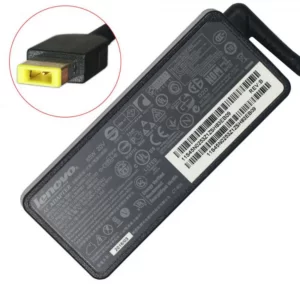
Lenovo Rectangular “USB-style” slim tip laptop charger, 65W / 90W / 135W / 170W / 230W. Renewed condition, tested and working. Includes power cable. Previously used — may have light scratches or marks; fully tested.
SKU: LE-NA-14224 -
-
-




There are no reviews yet.